How to receive Naira using Mavapay Money
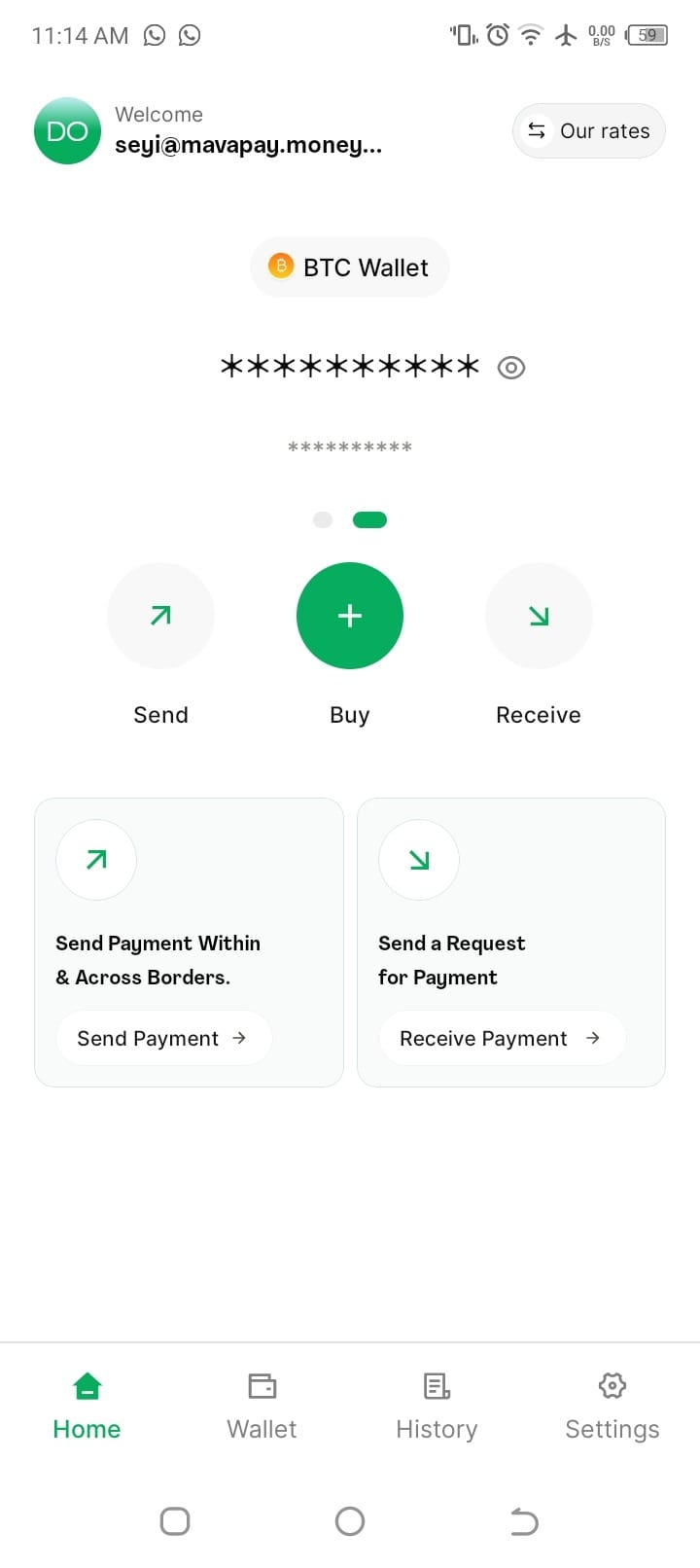
Once you have completed your KYC and are logged in, you can send or receive money in seconds.
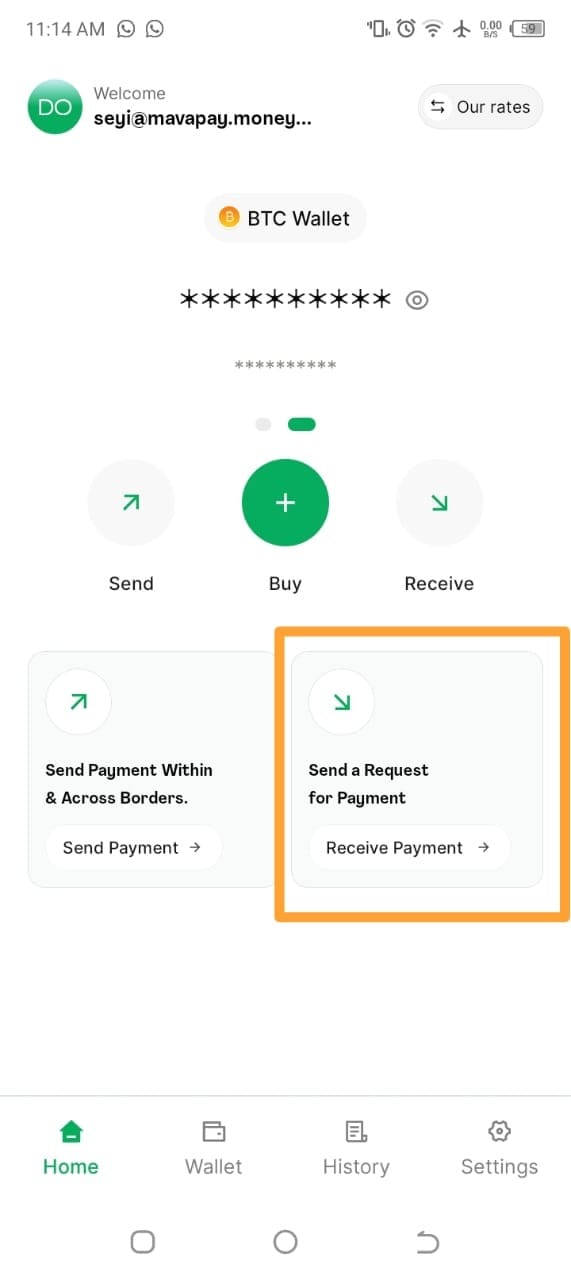
To receive money, you simply have to click Receive Payment
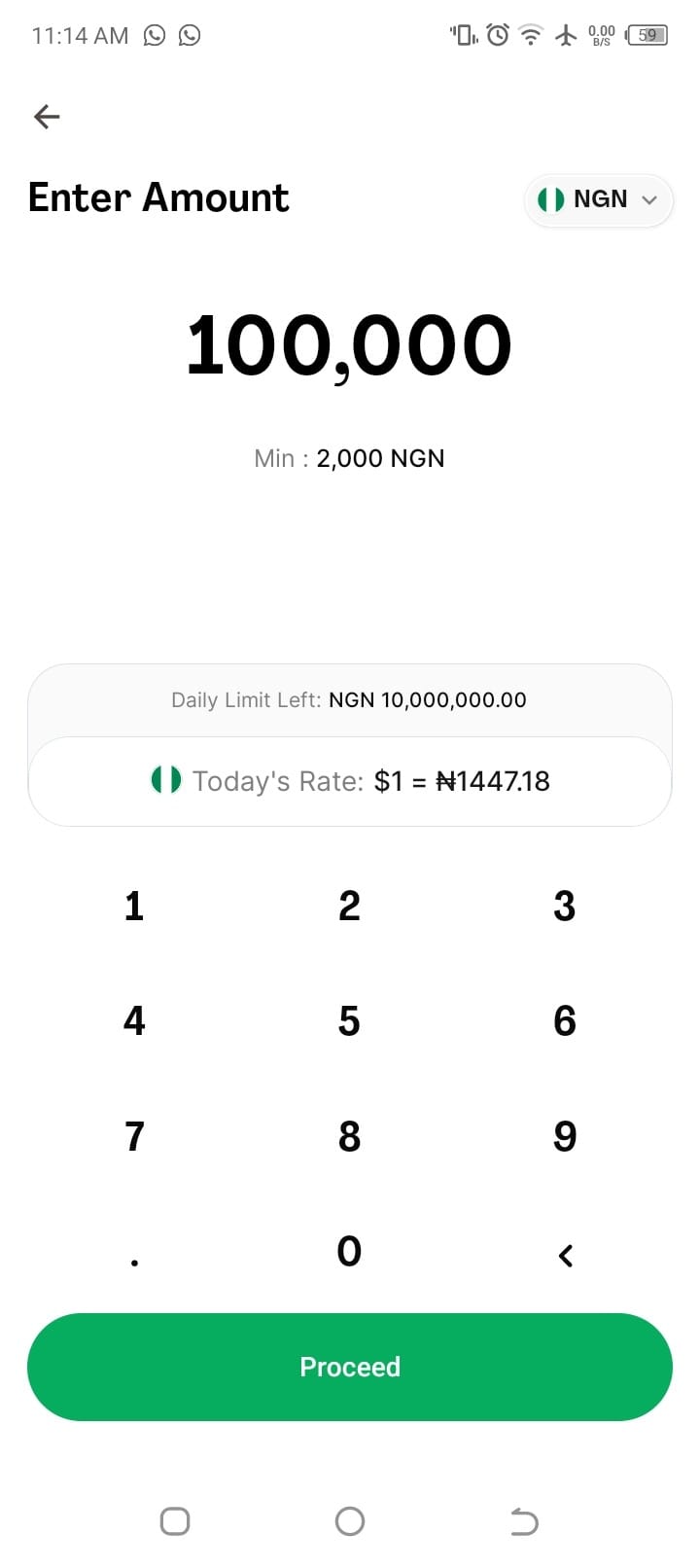
After clicking Receive Payment, input the amount you wish to receive, you can enter an amount in Naira or Sats.
Then click Proceed.
Once you have clicked Proceed, an invoice will be generated. You must copy this invoice and share it with the sender.
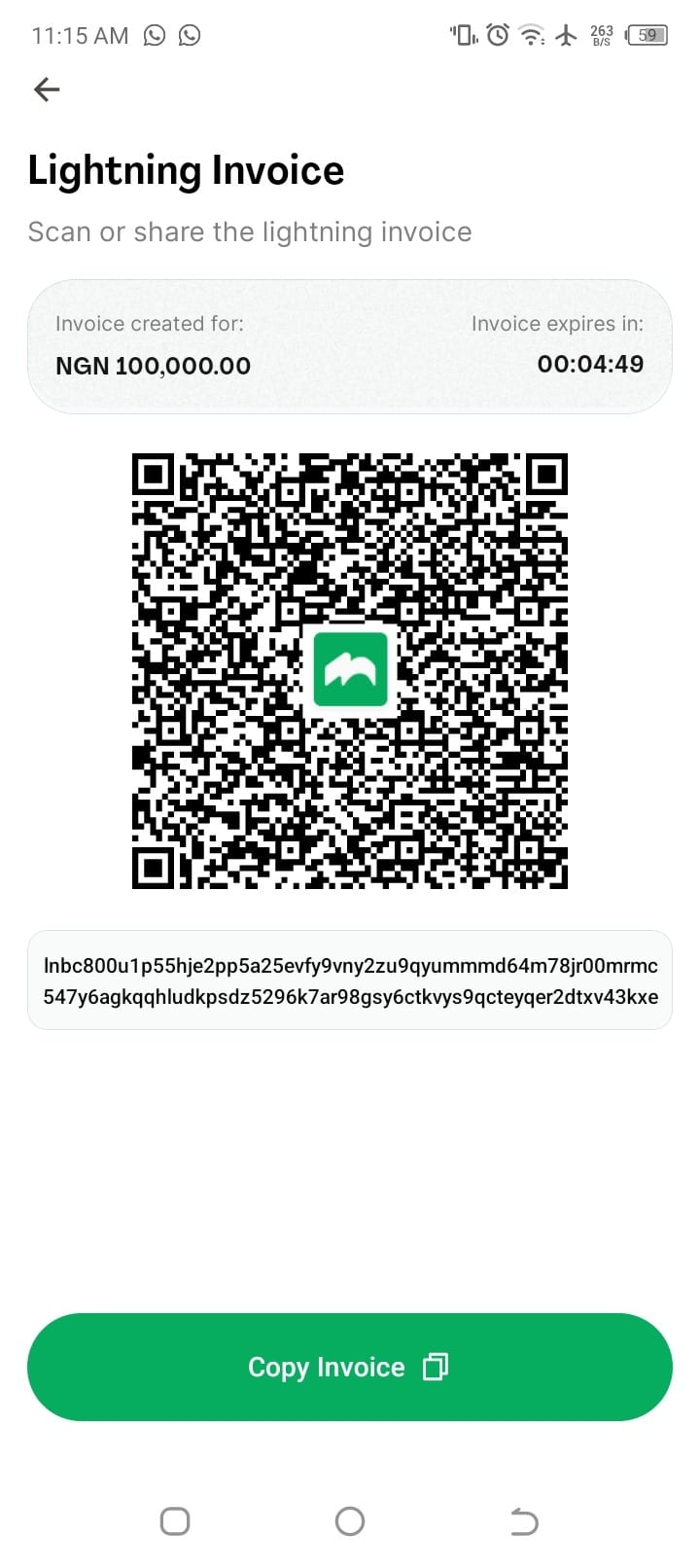
This invoice must be paid within five minutes and once paid you shall receive it.
If for some reason the payment is not made within five minutes, the invoice will expire. You simply need to follow these steps to create a new invoice.